


Connects: Arts+Culture
4.3203.00 Reviews
App Specs
- Version
- 2026.8.17
- Updated On
- License
- Free
- Downloads
- 1,000,000+
- Developer
- Bloomberg Connects
- Categories
- Education
- Platform
- Android, iOS
Screenshots
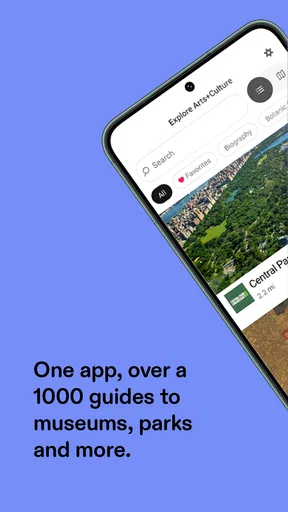
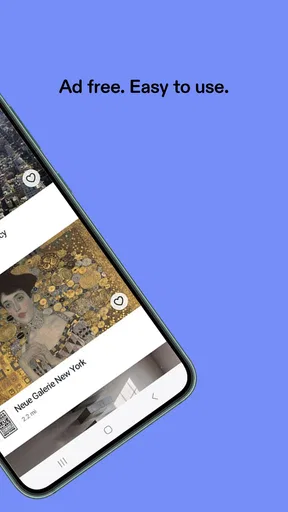
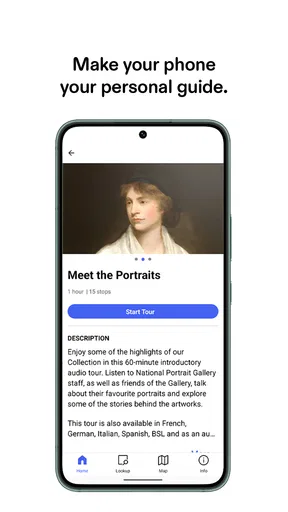
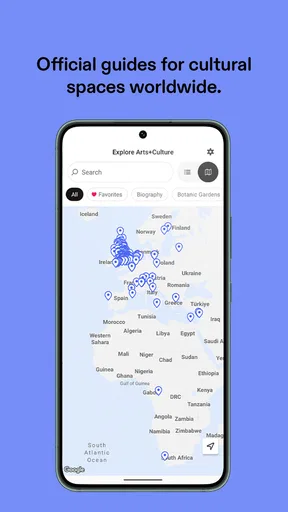
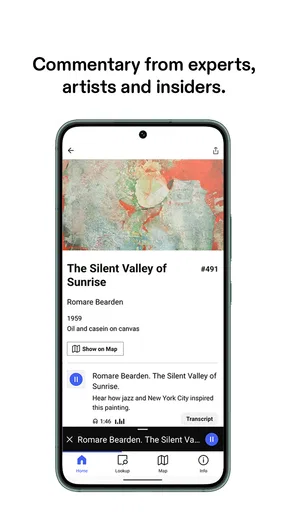
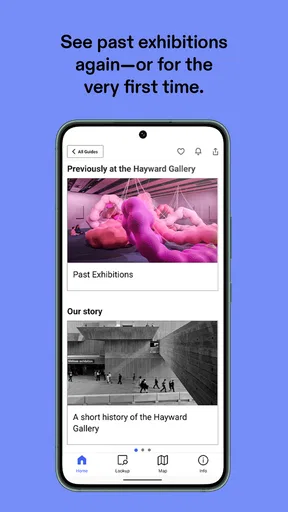
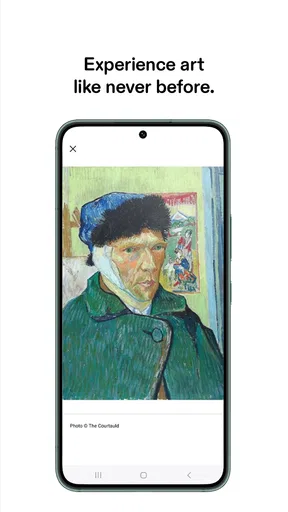
 Analysis by AppCompare
I approached Connects: Arts+Culture as an education app for people who want to explore museums, galleries, cultural spaces, and related material from a phone rather than treating it as another general-purpose learning platform. My first impression was that its value depends less on constant daily use and more on timing: it becomes especially useful when I am planning a cultural visit, standing in front of an unfamiliar exhibition, or looking for a thoughtful way to continue learning after leaving a venue.
That distinction matters. The app is developed by Bloomberg Connects and is free, with an Everyone age rating. It has built a sizeable audience, reaching over a million installs and a 4.3 average from around 2.2 thousand ratings. Those figures suggest that it has moved beyond being a niche experiment, but they do not automatically make it right for every learner. I found its strongest appeal in guided discovery and cultural context, not in replacing a structured course, a library, or a specialist research database.
How I judged its trust and everyday usefulness
For an app connected with arts and culture, trust is not only about whether the screen looks polished. I also want to know what I am being asked to do, what information I can see before making a choice, and whether the experience remains useful without turning every visit into an account-management task. That was the lens I used here.
The app’s store summary presents it as an arts and culture guide, while its short description identifies it as “Connects: Arts+Culture.” In practical terms, I read that as an invitation to discover cultural content through a mobile guide rather than as a promise of a complete digital museum. That expectation kept my assessment grounded: I looked for clarity, user control, and useful context instead of assuming that every institution or every exhibition would work in exactly the same way.
The current version is 2026.8.17, and the app supports devices running Android 8.0 or later. That makes it accessible to many people using older Android phones, although the quality of the experience can still depend on the screen, storage, connection, and general condition of the device. A guide with images, written material, and potentially media is naturally more comfortable on a reasonably responsive phone than on hardware that struggles with ordinary browsing.
What I would check before relying on it during a visit
I would not wait until I am inside a crowded gallery to make every decision. Before visiting, I would open the app at home, look through the available cultural material, and check whether the places or subjects I care about are represented in a way that suits my plans. This simple preparation is more important here than it would be with a conventional textbook app, because the usefulness of a cultural guide is closely tied to the specific destination or topic in front of me.
I would also review the visible choices during setup and while browsing. The most trustworthy approach is to read each prompt rather than tapping through automatically, especially when an app asks for access, notifications, sign-in details, or preferences. I do not treat the presence of a prompt as evidence of bad practice, but I do think a careful user should understand what is being requested and why before continuing.
Worth Reading Before You Choose

EA SPORTS FC Mobile 26 Is a Bigger Football Game, but It Takes Time

Flipboard Shows What News Apps Must Do Beyond the Feed

Switching to Android Auto Means Rethinking Your Driving Routine

Google Calendar Makes a Crowded Week Easier to Manage

Ludo King Makes the Most of the Minutes Between Plans

Baby Panda World Brings Quick Play to Modern Phones, but Its Game Library Feels Busy
That habit is particularly valuable for families. The Everyone rating makes the app suitable for a broad audience, but an age label does not replace parental judgement about how a child uses a phone, what material they view, or whether they should have an independent account. For a shared family visit, I would explore the relevant content together and let the child use the guide as a conversation starter rather than handing over the device without supervision.
Controls that affect confidence
My preferred way to use an arts guide is with deliberate control. I want to choose what I explore, decide whether I want reminders, and avoid feeling that I must create a profile before I can understand the app’s purpose. When an app makes those choices visible, I can make a sensible decision based on my own comfort level.
Connects: Arts+Culture works best for me when I treat it as an on-demand resource. I open it because I have a cultural question or a visit in mind, not because I expect it to manage my entire learning routine. That approach reduces unnecessary exposure to features I may not need and keeps the experience focused on the material itself.
I would also revisit the app’s settings from time to time instead of assuming that my first choices remain ideal forever. This is a useful general practice when an app evolves through new versions, and it is especially sensible for a guide that may change the way it presents places, content, or optional communication. The current release shows that the product is actively maintained, but an update is not a reason to skip a quick review of visible controls.
One practical tip is to separate discovery from decision-making. I first browse enough to understand whether the app is relevant to my visit. Only after that would I consider enabling optional conveniences or creating a deeper personal setup. This prevents a common mistake: giving away attention, notifications, or personal details before knowing whether the app will actually help.
When personal data becomes part of the experience
Any cultural guide can create data-sensitive moments even when the main attraction is educational content. A user may be deciding whether to make an account, allow notifications, share a preference, or use the app in a location where other people are nearby. I pay attention to these moments because convenience can make people accept choices they would normally examine more carefully.
My rule is straightforward: if a feature is useful without a particular permission or personal detail, I begin with the less intrusive route. I then add only what improves my experience in a clear way. For example, if I am simply researching an exhibition from home, I do not need to make the app part of my daily routine. If I am using it during a visit, I still want to know which choices are necessary and which are optional before I agree to them.
This is also where the app should be compared with ordinary alternatives. A printed gallery leaflet may reveal less about my digital behaviour, but it can be limited, easy to lose, and difficult to search. A museum’s own website may offer more official background for one institution, while a general search engine gives me a huge amount of material with uneven quality and little continuity. Connects: Arts+Culture sits between those options: more focused than a broad web search and potentially more convenient than paper, while still requiring me to make thoughtful choices about how I use it.
I would not use it as my only source for academic work without checking the original institution or another dependable reference. A guide is excellent for orientation, interpretation, and discovery, but serious research often needs citations, broader historical context, and the ability to compare independent viewpoints. That is not a defect so much as a boundary. The app is strongest when it helps me enter a subject, not when I expect it to settle every scholarly question.
A realistic day with the app
Imagine I am spending a Saturday in a city with time for one museum visit but no fixed plan. On the train, I would use the app to browse cultural possibilities and narrow my choice based on the kind of experience I want. I might save a few ideas mentally, read enough background to recognize what interests me, and then arrive with a clearer sense of where to begin.
Inside the venue, I would avoid staring at the phone continuously. I would use it briefly when I need orientation or context, then put it away and look at the work itself. This is one of the most useful trade-offs: a digital guide can enrich attention, but too much screen time can turn a visit into a scrolling session. The app is most effective when it supports observation rather than competing with it.
Afterward, I would return to the material that caught my attention and use it as a starting point for further reading. I might make a short note about an artist, theme, or object to investigate elsewhere. This workflow gives the app a role before, during, and after a visit without asking it to become a complete personal archive.
For a teacher, the same workflow could support a class discussion. Students could explore a cultural topic before a trip, identify questions while visiting, and compare their impressions afterward. I would still prepare additional material, because the app alone may not match a lesson plan, reading level, or assessment method. Its value in that setting is as a bridge between direct experience and discussion.
Where it helps, and where another tool is better
I recommend this app most readily to curious visitors, families planning cultural outings, students beginning an arts topic, and travellers who want more context than a quick search provides. It is also a good fit for someone who learns through places and objects rather than through a linear course. The free price removes an obvious barrier, so trying it before a visit is an easy decision for many users.
I would be more cautious about recommending it to someone who wants formal lessons, tests, progress tracking, or a tightly sequenced curriculum. A dedicated language-learning or online-course app will usually be better for measurable study. Someone writing a research paper may prefer a library catalogue, institutional archive, or specialist publication. Someone who wants a completely offline, low-distraction experience may prefer a printed guide or downloaded material that can be consulted without repeatedly checking a phone.
Another trade-off is breadth versus depth. A broad cultural guide can help me discover places and themes I would otherwise overlook, but a focused museum guide or official exhibition resource may go deeper into one collection. I would use Connects to widen my options, then switch to a more specialized source when a particular subject deserves sustained attention.
A less obvious strength is that it can change the way I plan a visit. Instead of choosing a venue only because it is famous or nearby, I can begin with a theme or type of cultural experience and work backward. That is a better use of a guide than simply treating it as a digital map. The app becomes a planning tool for curiosity, not just a replacement for a leaflet.
A second useful insight is to use it in short sessions. I found the idea of opening the app for a specific purpose more effective than wandering through it indefinitely. Before a visit, I would set a small goal: understand the setting, choose a few areas of interest, or prepare questions. This keeps the phone from taking over the experience and makes the information easier to remember.
A third is to compare the app’s presentation with my own reaction. Cultural interpretation is helpful, but it should not dictate what I am allowed to notice. I would read the guide, look carefully, and then ask whether my impression agrees with or differs from the explanation. That small pause turns passive consumption into active learning, which is where an education app earns its place.
My cautious verdict
Connects: Arts+Culture is a worthwhile free education app for people who want cultural discovery to accompany real places, exhibitions, and personal curiosity. I like its best use case: preparing intelligently, consulting the guide briefly when needed, and continuing the conversation afterward. The broad age rating and support for Android 8.0 or later make it approachable for many households, while its large install base and 4.3 average indicate that it has found an audience.
My recommendation comes with a clear condition: use it intentionally. Check the available controls, make deliberate choices about optional access and communication, and do not assume that a cultural guide replaces official sources or a structured course. If you want a focused companion for arts and culture, it is easy to justify trying. If you want formal education, deep research tools, or a phone-free visit, another option will serve you better.
In the end, I see the app as a doorway rather than a destination. It can help me decide where to look, give shape to a visit, and turn a passing encounter with art or history into a question worth pursuing. The strongest experience comes when the app stays in the background and my attention remains on the culture it helps me discover.
Pros
- Covers museums
- galleries
- and cultural events in one place.
- Helpful for discovering local exhibitions and creative activities.
- Clean interface makes browsing artworks and venues straightforward.
- Useful details can support planning visits before leaving home.
- Suitable for both casual visitors and dedicated art enthusiasts.
Cons
- Content quality and availability may vary by city or region.
- Some listings may become outdated if event details change.
- The app may feel less useful in areas with limited cultural venues.
- Advanced discovery options may be limited for frequent users.
- Certain features or listings could depend on an internet connection.
FAQs for Connects: Arts+Culture
What is Connects: Arts+Culture?
Connects: Arts+Culture is an app designed to help users discover and engage with artistic and cultural content. Depending on the available offerings in your area, it may provide information about exhibitions, performances, museums, galleries, cultural organizations, educational activities, and other creative events. It is intended for people who want to explore arts and culture from their mobile device and keep track of relevant opportunities.
What kind of content or events can I find in Connects: Arts+Culture?
The app may include a broad selection of cultural experiences, such as visual art exhibitions, theatre, music, dance, film, workshops, talks, festivals, and community programs. The exact listings can vary according to your location and the organizations participating in the platform. Before downloading, remember that availability, event details, schedules, and booking options may differ between regions and may change over time.
Does Connects: Arts+Culture require an account or personal information?
Some features may be available without registration, particularly browsing general cultural information, while personalized tools can require an account. These tools might include saving favorites, receiving recommendations, managing bookings, or accessing member-related benefits. During setup, review the requested permissions and privacy information carefully. Only provide the personal details you are comfortable sharing, especially if the app connects with external cultural institutions or ticketing services.
Is Connects: Arts+Culture free to download and use?
The app may be free to download, but that does not necessarily mean every activity or service shown inside it is free. Certain exhibitions, performances, workshops, memberships, or special events may require payment, registration, or advance booking through the relevant provider. Check the individual listing before making plans, and verify whether additional fees, cancellation conditions, or separate ticketing accounts apply.
Is Connects: Arts+Culture available on both Android and iOS?
Availability depends on the current release and the region associated with your device’s app store. Connects: Arts+Culture may be offered for Android, iPhone, or both platforms, but features and update schedules can differ. Before installing, confirm that your device meets the listed operating-system requirements. It is also worth checking recent user reviews, developer information, and update notes to ensure the app is actively supported.


